Best AI Image Models for YouTube Thumbnails
Start with Ideogram 4 for a big headline, Nano Banana Pro for a portrait with room for text, or Nano Banana 2.1 for a lower-cost price comparison. Those picks come from saved thumbnail outputs, not a general image-model ranking. If you want a current OpenAI option for new work, start with GPT Image 2.6 Flare and test it on your own prompt; it was not part of the saved benchmark.
Which image model should I use?
| Model | Price | Start here for | What to watch for |
|---|---|---|---|
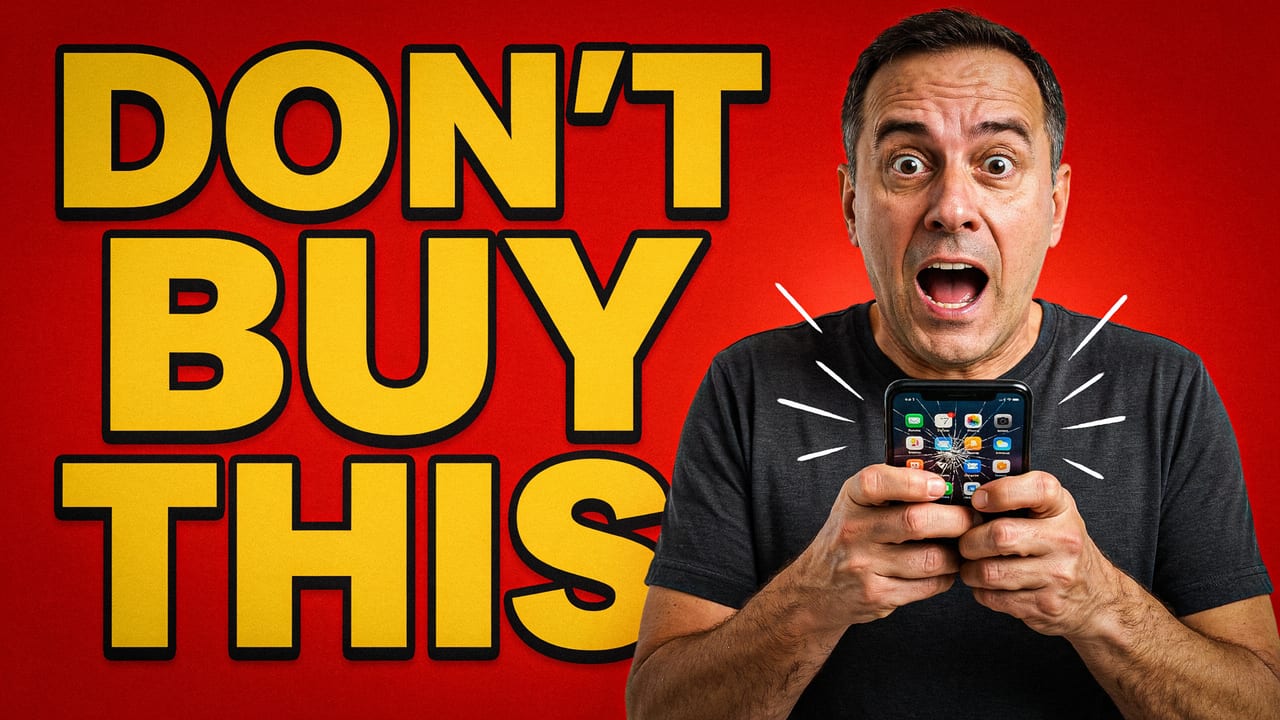
| Ideogram 4 | $0.20 | Big headline | It spelled the headline correctly and made it fill half the frame. It does not accept reference images here. |
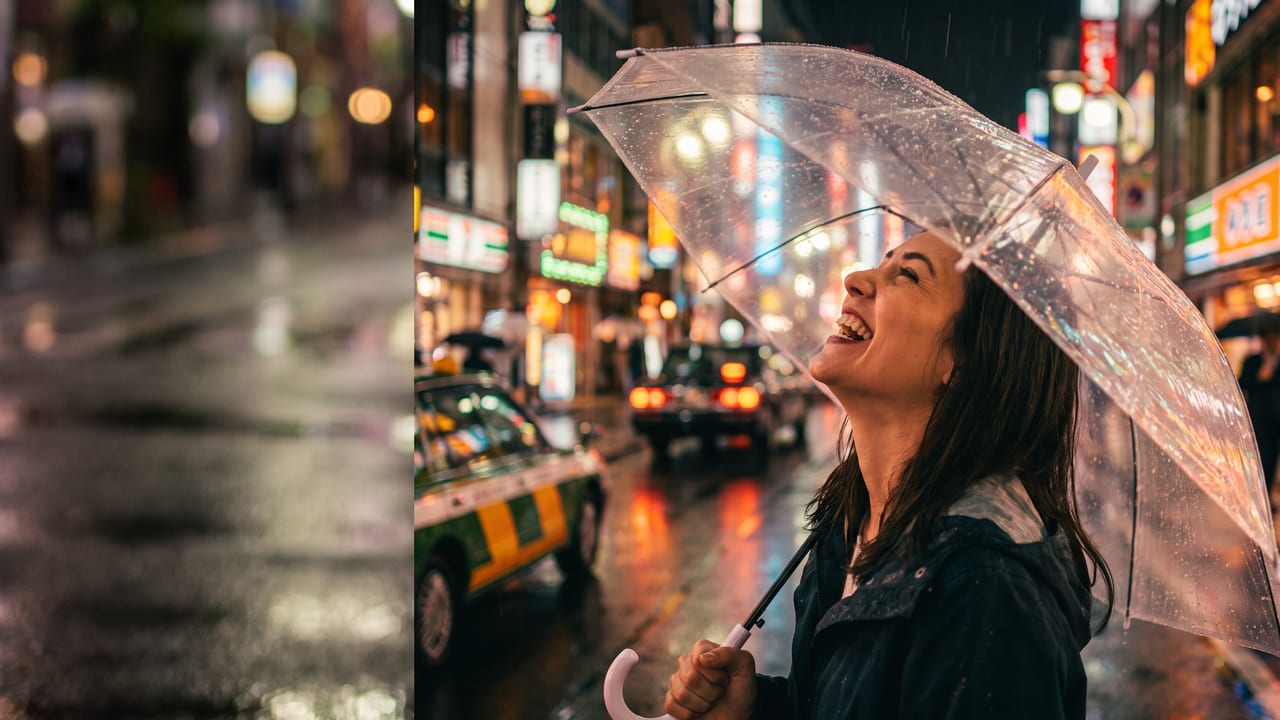
| Nano Banana Pro | $0.30 | Portraits and products | The rainy portrait kept the subject on the right and left room for a title; both coffee prices were correct. |
| Nano Banana 2.1 | $0.11 | Lower-cost comparison layouts | It got both coffee prices right and added a VS badge. Neon signs crowded the title space in the portrait. |
| GPT Image 2.6 Flare | $0.10 | An OpenAI model to try for new work | Available in Studio. It was not in the saved three-prompt benchmark, so we don’t have a directly comparable result. |
| GPT Image 2.5 Sunburst | $0.26 | Detailed compositions | It rendered the headline correctly and left room for type in the portrait, but added an unrequested label in the coffee split. |
| FLUX.2 Max | $0.20 | Photography with type added later | It produced a clean coffee split, but the portrait put the face where the title was meant to go. No reference images here. |
| Seedream 5 Lite | $0.07 | Inexpensive layout drafts | Both coffee prices were readable, but the cups were small and the face partly covered the headline in another prompt. |
| Grok Imagine | $0.04 | Low-cost concept drafts | It put the portrait subject on the right; the coffee price labels were small and low-contrast. No reference images here. |
| GPT Image 2 | $0.26 | Historical reference only | It passed all three saved prompts. OpenAI has announced a shutdown date; don’t build a new workflow around it. |
What the saved examples show
We ran three identical prompts across models: a cracked-phone thumbnail with a large headline, a rainy street portrait with space for a title, and a $5 vs $50 coffee split. The main run was September 26, 2026; GPT Image 2.5 Sunburst ran September 30 with the same prompts. We judged one image per model per prompt by eye. That’s enough to see a layout choice, not to estimate reliability or predict CTR. See the exact prompts and benchmark outputs.
What to use instead of GPT Image 2
OpenAI deprecated GPT Image 2 on November 10, 2026 and lists February 10, 2027 as its shutdown date. It is still listed in ThumbnailCreator at this review. OpenAI names GPT Image 2.6 Flare and 2.6 Sunburst as replacements, but only 2.6 Flare is listed here. Don’t confuse 2.6 Sunburst with the available 2.5 Sunburst. Our 2.5 Flare vs 2.5 Sunburst guide is historical: 2.5 Flare was replaced by 2.6 Flare.
Run one comparison on your own video
Use the same 16:9 prompt in two models. Ask for one focal point, spell out any exact headline or price in quotes, and name the side you want left empty. If you have a reference photo you’re allowed to use, choose models that accept references. Compare both outputs at 160 px in the free thumbnail preview tool. Check spelling, whether labels still read, and whether the picture promises what the video delivers. If type keeps moving or changing, generate the image without it and add the words in an editor.
If you’re deciding between a reference-led portrait and a cheaper draft, start with the Nano Banana Pro vs 2.1 examples. When you’re ready, try the same prompt in Studio. Generation requires prepaid credits (a $10 pack) and charges per successful image. You can also work in ChatGPT or from an AI agent.
Frequently asked questions
Which AI image model is best for thumbnail text?
Ideogram 4 is a useful first try for a large graphic headline: it got the wording right in our saved example. Check the spelling and legibility on your own prompt.
Which model is cheapest in ThumbnailCreator?
Grok Imagine was the lowest-priced model at this review, at $0.04 per successful image on standard pricing. Its price labels were small and low-contrast in our coffee comparison, so inspect those drafts before using them.
Is GPT Image 2 still available?
It is still listed in ThumbnailCreator at this review. OpenAI lists February 10, 2027 as the GPT Image 2 API shutdown date; use GPT Image 2.6 Flare for new ThumbnailCreator work if you want a current OpenAI option.