YouTube thumbnail resizer
Choose your dimensions, adjust the crop or keep the whole image, and download a JPG. Your image stays in this browser.
1. Choose an image
PNG, JPG or WebP · up to 15 MB
24 megapixels · 8192px per side
2. Choose the output
Crop fills the frame and trims the edges. Keep whole image adds white padding where needed.
JPG removes transparency against white. Review the crop and fine details before downloading.
Preview
No image selectedChoose the frame before you resize
For a regular YouTube video, start with a 16:9 frame. Crop when the subject can fill that frame without losing important detail; keep the whole image when a headline, face or product sits near an edge. Download the prepared JPG, then inspect it at a small preview size.
1. Choose the output dimensions
Use 3840 × 2160 for YouTube's current recommended video-thumbnail resolution, or 1280 × 720 for a smaller 16:9 file. Custom dimensions are useful for another destination. Enlarging a small source does not restore missing detail.
2. Check what the frame keeps
Crop fills the frame by removing content outside it. Keep the whole image adds white padding where the shapes differ. Inspect the headline and subject before exporting, especially when converting a portrait or square image into landscape.
3. Download and inspect the actual file
Check the exported dimensions and byte size, then open the JPG. If the file exceeds the upload limit for your device, use the compressor. A correctly sized file can still have text that is too small to read.
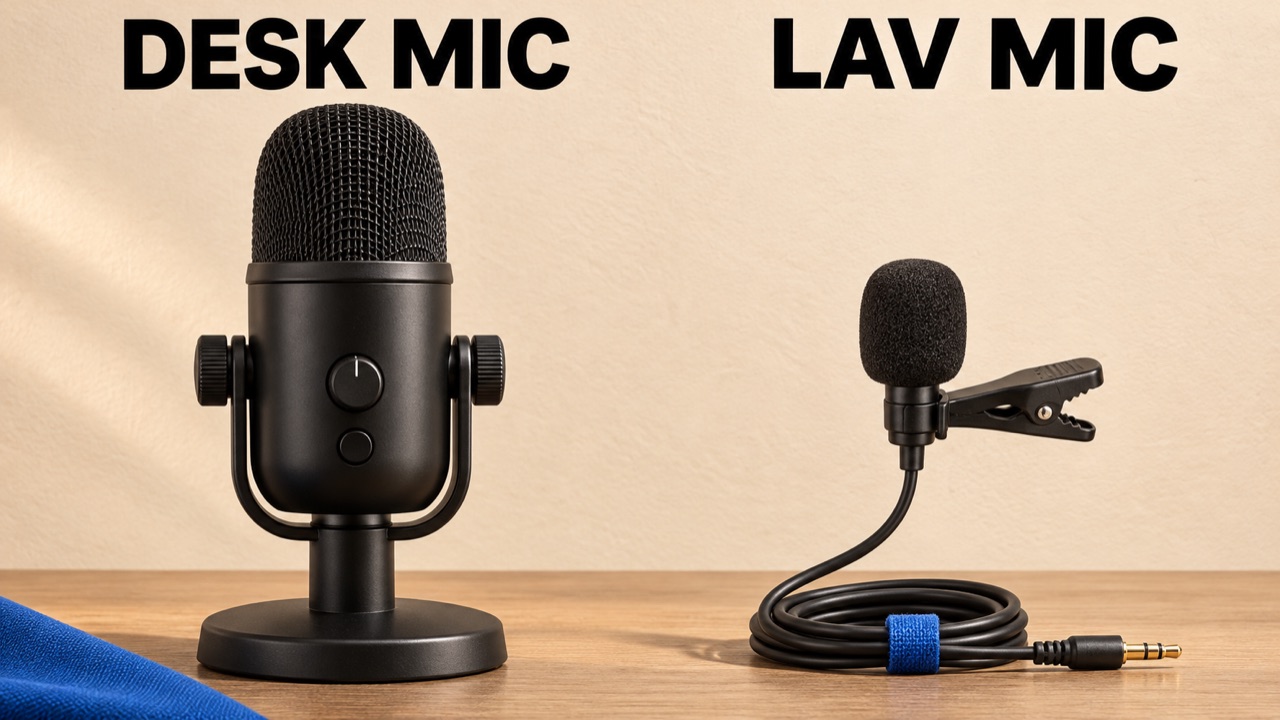
Worked example: keep both microphone labels
The sample is already 1280 × 720, so a 16:9 export keeps its composition. Try a 1000 × 1000 custom frame: a centered crop cuts into the labels near the left and right edges, while keeping the whole image preserves both microphones and adds white space above and below. Choose the framing that protects the information your viewer needs.
Current YouTube guidance
- YouTube recommends 3840 × 2160 for video thumbnails, a minimum width of 640 pixels and a 16:9 aspect ratio.
- YouTube lists JPG and PNG as upload formats. This tool exports JPG.
- Video-thumbnail uploads must remain under 2 MB on mobile or 50 MB on desktop. Resizing alone does not guarantee a byte limit.
- Custom thumbnail uploads require a verified YouTube account. File preparation does not change account eligibility.
What this tool does
- The tool accepts one JPG, PNG or WebP up to 15 MB, 24 megapixels and 8192 pixels on either side. These are this tool's processing limits.
- Output dimensions are limited to 100–4096 pixels on each side. JPG export flattens transparency onto white and may change fine detail.
- Processing stays in your browser. This is resizing and cropping; it does not generate missing scenery, sharpen an image with AI or predict clicks.
Free tools · No sign-up · Images stay in your browser