GPT Image 2 vs
Nano Banana Pro
for YouTube thumbnails
Same prompts. Six real outputs. Compare headline placement, room for a title, and product labels before choosing your next model.
Generated · Reviewed
One output per model per brief · visual observations, no CTR test
Start with the layout you need
Both models spelled all requested labels correctly in these six saved outputs. Layout is the useful difference to inspect: compare headline placement, room for a title and extra elements before choosing which to run on your brief.
$0.56 for one of each at current standard prices (USD).
Opens an editable brief with these two models. New accounts buy a $10 credit pack to generate.
01 · Make room for the headline
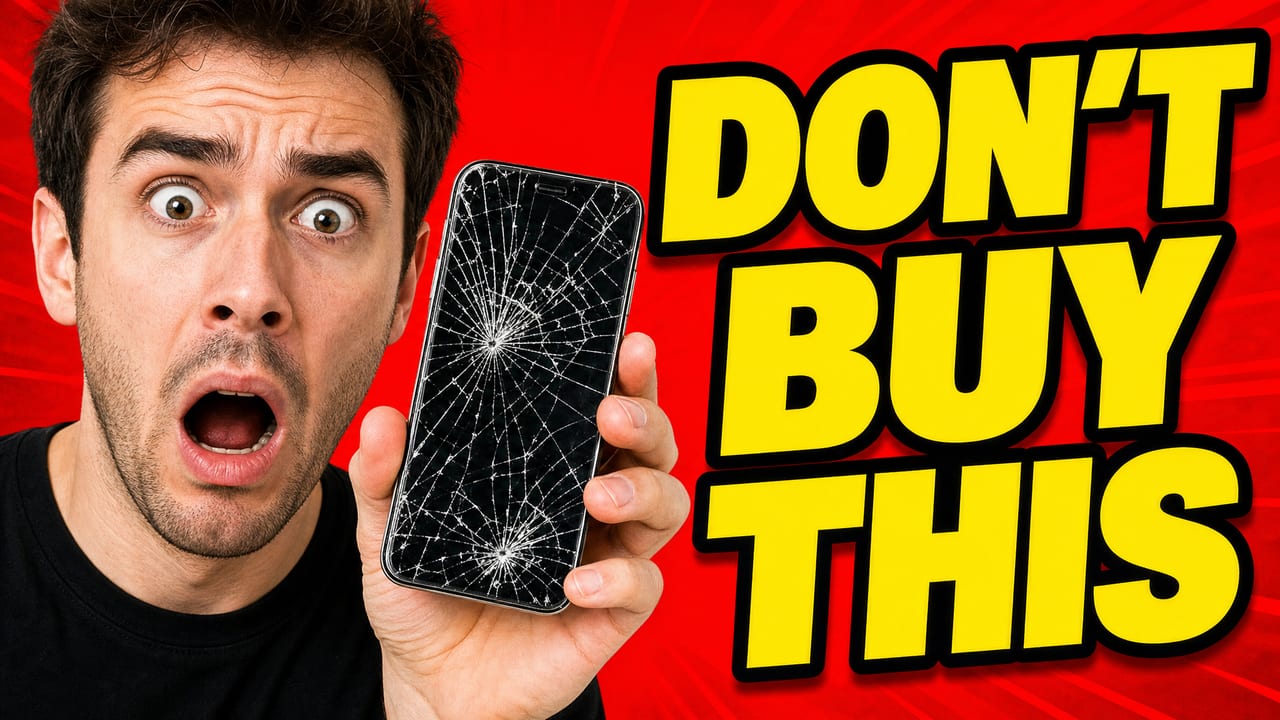
The same brief asked for a cracked phone and the exact words “DON’T BUY THIS.” Both images spell the line; their layouts leave different editing work.
GPT Image 2
Nano Banana Pro
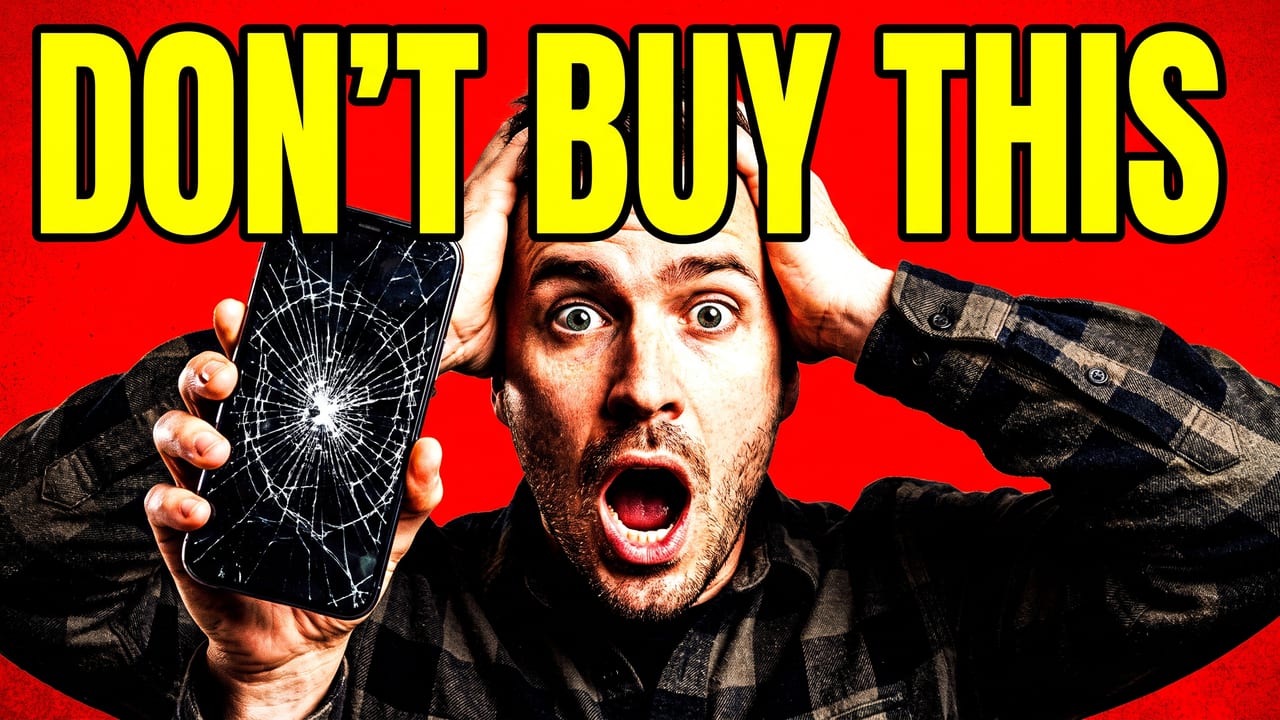
Where should your headline sit? The GPT Image 2 sample separates the presenter and headline left to right; the Nano Banana Pro sample uses a top headline. Choose the arrangement your video needs and name it in your own prompt. Inspect the hands and phone at full size before using either output.
Read the exact prompt
YouTube thumbnail: shocked man holding a cracked smartphone, huge bold yellow text "DON'T BUY THIS" with a black outline, bright red background, high contrast
02 · Leave a place for your title
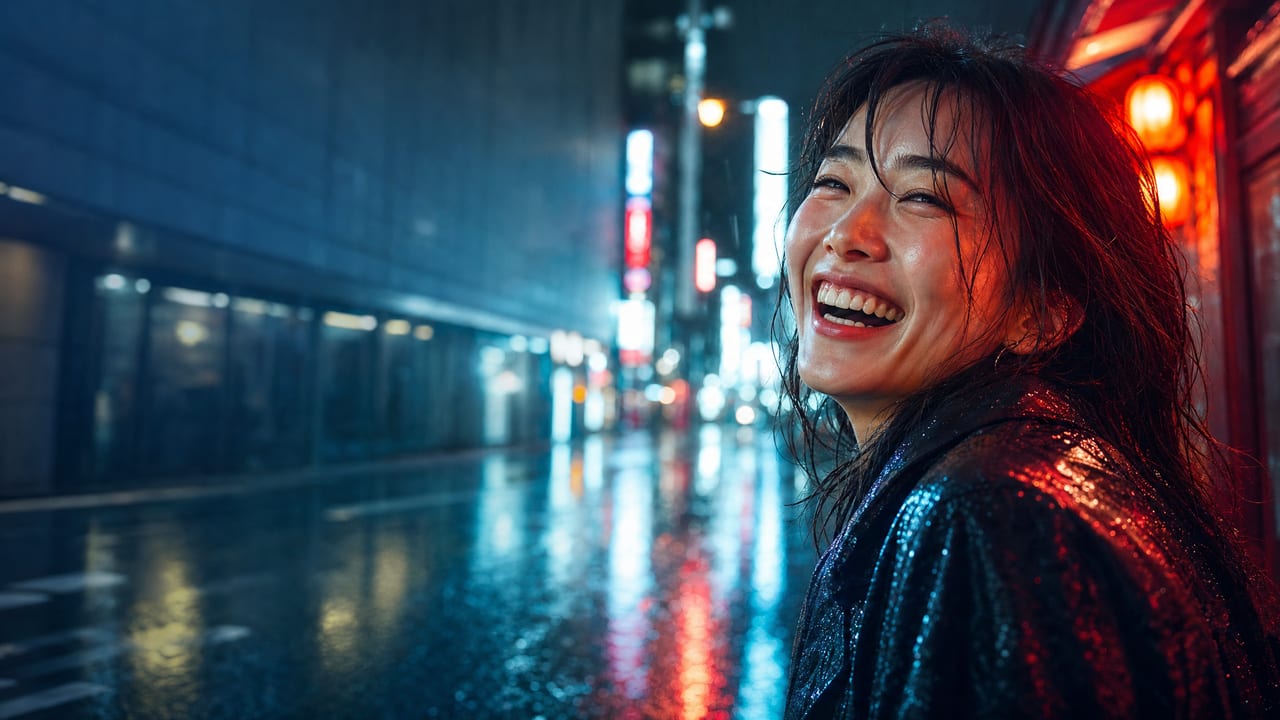
The portrait brief requested a laughing woman on a rainy Tokyo street and empty space on the left. No text was requested.
GPT Image 2
Nano Banana Pro
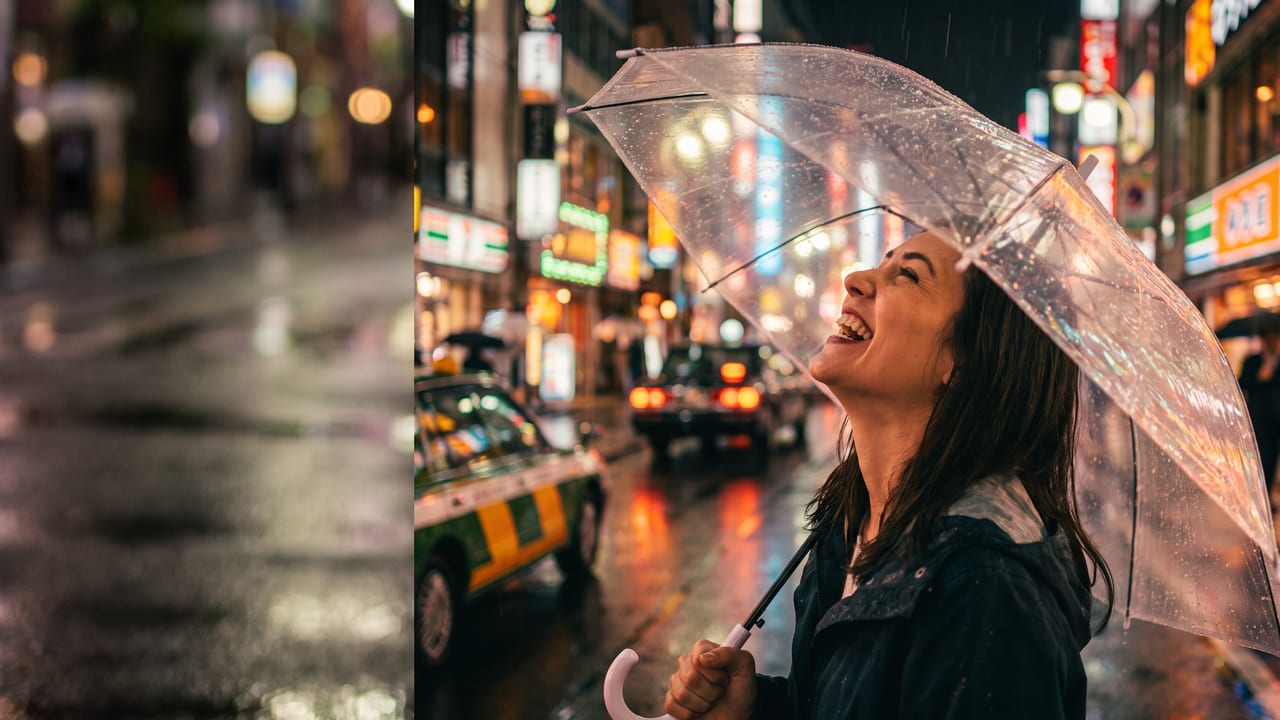
What counts as room for a title? A dark part of a scene and a separate blank strip give a title different backgrounds. Place your actual words over the area you intend to use, then check the result at a small preview size. Neither sample proves how the model will compose a different portrait.
Read the exact prompt
YouTube thumbnail: close-up of a woman laughing on a rainy Tokyo street at night, neon reflections, cinematic lighting, empty space on the left for a title, no text
03 · Compare two products
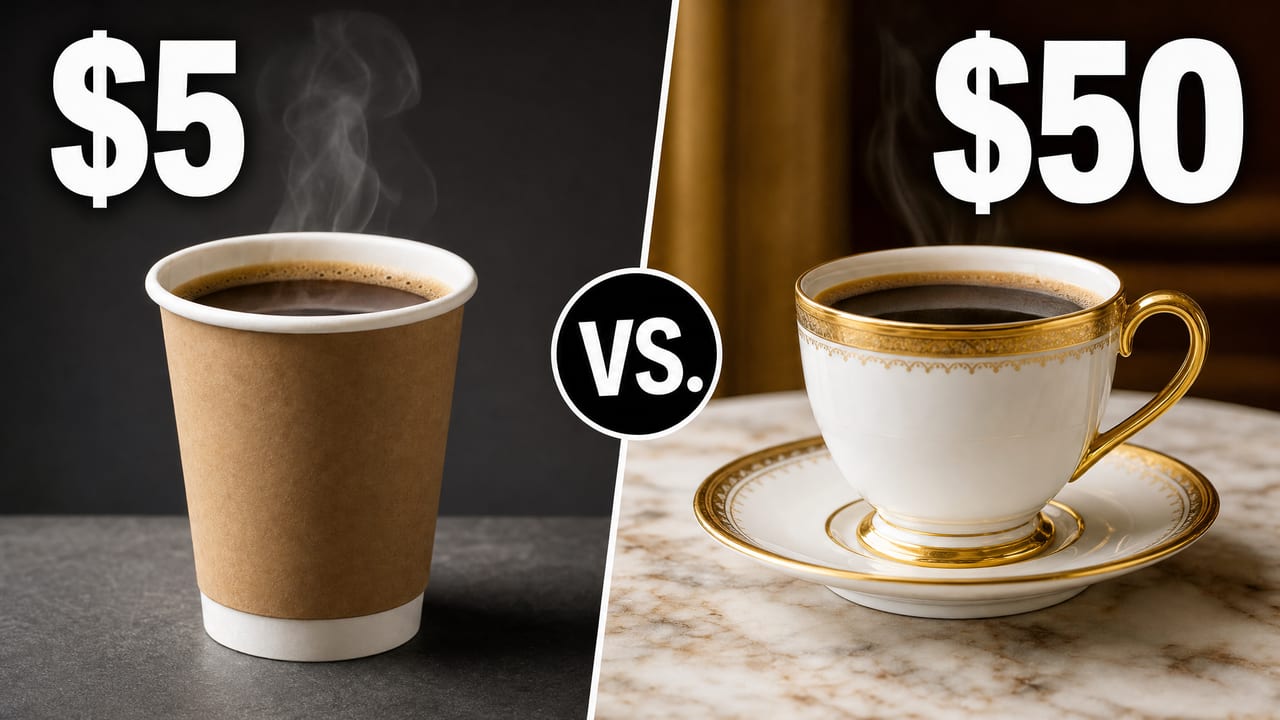
The coffee brief requested a $5 paper cup on the left and a $50 porcelain cup on the right, with bold white prices.
GPT Image 2
Nano Banana Pro
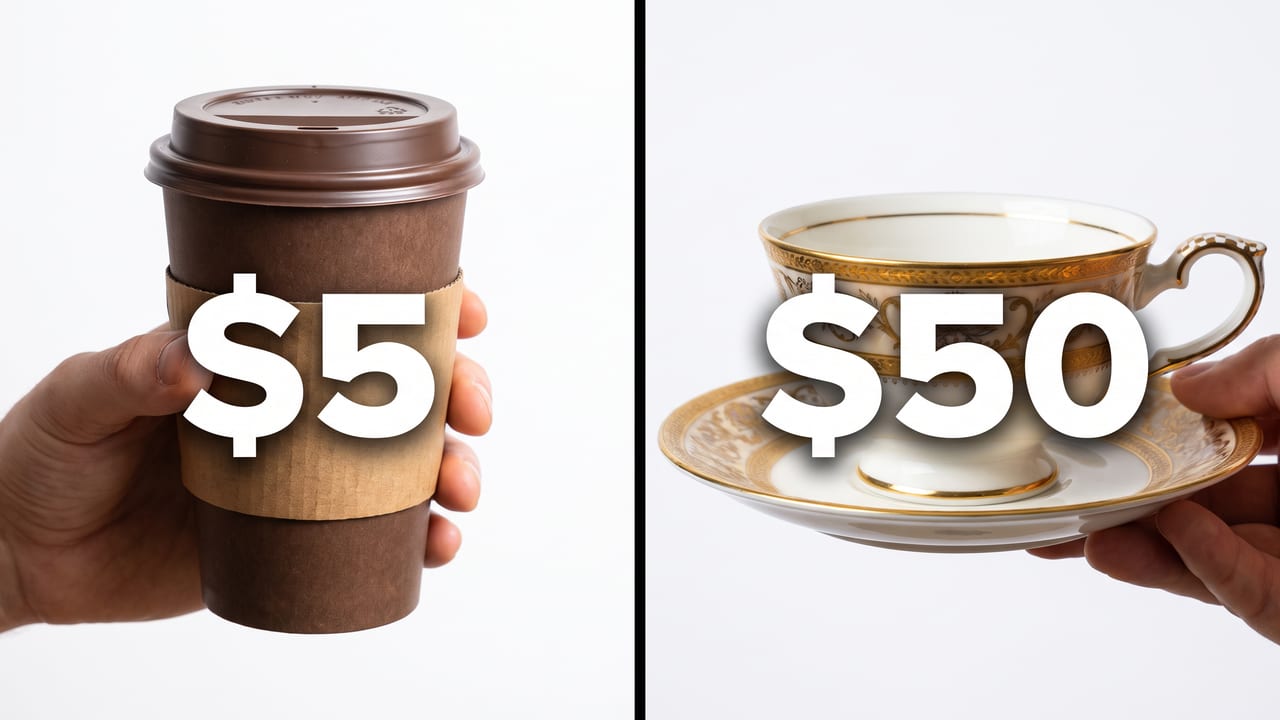
Did the model add anything you did not ask for? Both samples keep the requested $5 and $50 labels. GPT Image 2 adds a VS badge; Nano Banana Pro adds hands. If the image should show only two products, explicitly exclude badges and hands, then inspect the new result for extra details.
Read the exact prompt
YouTube thumbnail: split-screen comparison, a paper cup of coffee on the left labeled "$5" and a luxury porcelain cup on the right labeled "$50", clean studio lighting, bold white numbers
What this comparison can tell you
These six images come from the shared-prompt run on : one output per model per prompt, at 16:9, without reference images or reruns. The saved JPEGs are shown here with a fresh visual review dated . The full-image links open the stored artifacts.
This is a small visual sample. Different prompts and repeated runs can change the result. There was no viewer experiment, click-through-rate measurement or statistical quality ranking. These images do not show how a later model version would perform.
Recorded times from the original run
- GPT Image 2: bold headline text 69s; photoreal face 77s; side-by-side comparison 67s.
- Nano Banana Pro: bold headline text 21s; photoreal face 25s; side-by-side comparison 21s.
These are elapsed times for single historical runs, including provider wait time. They are not a current speed benchmark or a delivery guarantee.
Current studio prices
- GPT Image 2
- $0.26 / image
- Nano Banana Pro
- $0.30 / image
Current standard prices in USD from the studio model registry, separate from the historical image test. Only successful images are charged. New accounts buy a $10 credit pack; credits do not expire.
Check the final thumbnail at a glance
Run one real video brief through both models. Check the generated text, hands and objects at full size, then compare the thumbnail at 160 pixels wide. Keep the output that fits your intended composition; these six examples do not establish an overall winner.
Open the free thumbnail preview →