YouTube podcast cover resizer
Prepare a 1280×1280 square cover for your podcast show. Adjust the crop or keep the whole image with white padding.
1. Choose an image
PNG, JPG or WebP · up to 15 MB
24 megapixels · 8192px per side
2. Frame your square cover
1280 × 1280 px · Square
Crop fills the frame and trims the edges. Keep whole image adds white padding where needed.
JPG removes transparency against white. Review the crop and fine details before downloading.
Preview
No image selectedPrepare the square cover for your podcast show
A YouTube podcast show is a playlist, and each episode is a video in that playlist. The show needs a square cover; a regular video episode uses its own thumbnail. This tool prepares the show's cover as a 1280 × 1280 JPG from artwork you already have.
1. Choose artwork for the whole show
Start with a show logo, portrait or cover you have permission to use. An episode-specific headline may date quickly when used as the cover for an ongoing show. Keep the title readable and avoid relying on tiny episode details.
2. Decide what belongs inside the square
Crop to fill the square when there is space around the subject. Keep the whole image when cropping would remove a name or face; the empty space will be white. Inspect all four edges before downloading the 1280 × 1280 JPG.
3. Add the cover to the podcast's details
In YouTube Studio, open Content, then Podcasts, and choose your podcast. Add the square thumbnail on its Details page and save. Changing the show cover does not replace the individual episode video thumbnails.
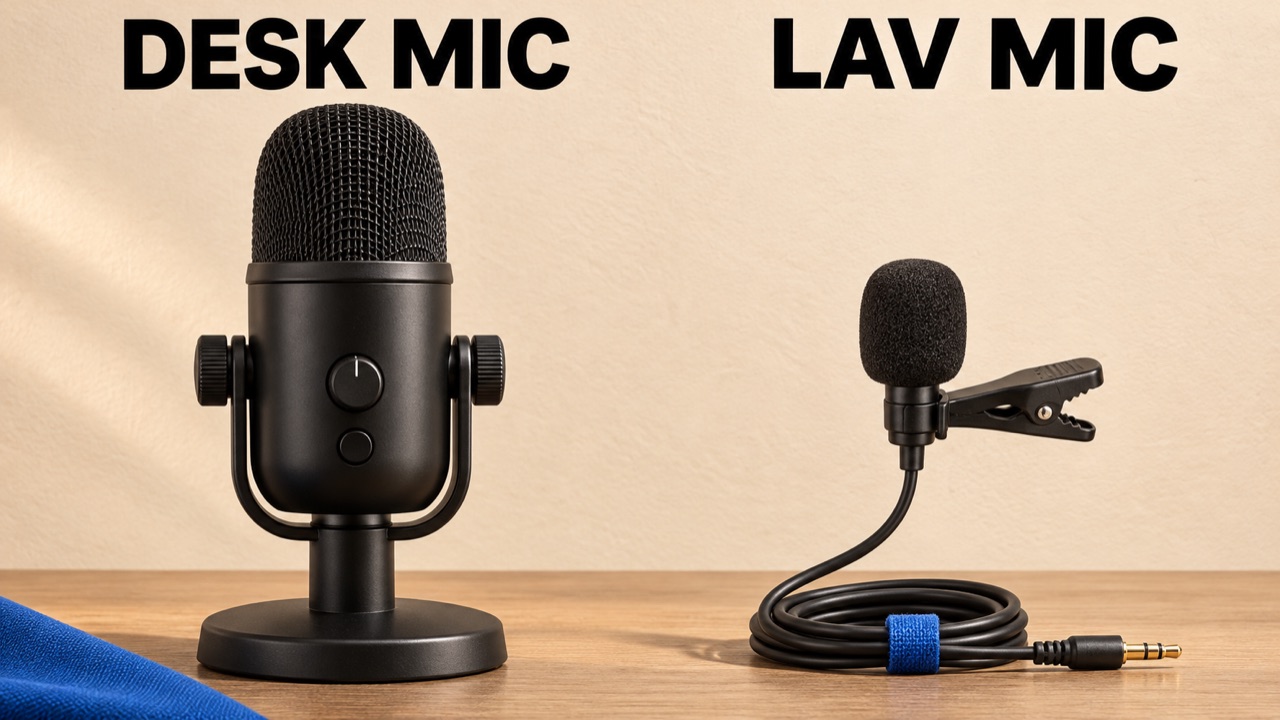
Worked example: why an episode thumbnail may need new framing
The microphone sample is a landscape comparison for one video. A centered square crop cuts into both labels. Keeping the whole image preserves the comparison with white padding above and below, but it still looks like an episode thumbnail. For an ongoing microphone show, start with artwork organized around the show name instead. A square export changes the file's shape, not its message.
Current YouTube guidance
- YouTube recommends 1280 × 1280 pixels for a square podcast thumbnail and directs creators to upload it on the podcast's Details page.
- Podcast playlists use a 1:1 cover. A show is a playlist; its episodes are videos. This preset prepares the show cover.
- YouTube's thumbnail guidance lists JPG and PNG formats, a podcast-thumbnail limit under 10 MB on mobile and under 50 MB on desktop.
YouTube Help: create a podcast in YouTube Studio · Checked
YouTube Help: thumbnail formats and upload limitsWhat this tool does
- Accepts one JPG, PNG or WebP up to 15 MB, 24 megapixels and 8192 pixels on either side, and exports a 1280 × 1280 JPG. Transparent areas become white.
- Enlarging a small source cannot recover missing detail. Inspect a low-resolution logo or portrait before publishing.
- The file is processed in your browser. The tool does not create a podcast, publish artwork, make a video thumbnail for every episode or guarantee eligibility for podcast features.
Free tools · No sign-up · Images stay in your browser