YouTube thumbnail
compressor
Prepare a JPG under your chosen file-size target and check its actual size before downloading. Your image stays in this browser.
1. Choose an image
PNG, JPG or WebP · up to 15 MB
24 megapixels · 8192px per side
2. Set a file-size target
2 MB is a conservative target for mobile video-thumbnail uploads. We try JPG quality levels and measure the result.
JPG removes transparency against white. Images over 4096px are resized to fit that limit.
Preview
No image selectedReduce bytes without guessing at the upload limit
Compress a finished thumbnail when its file size is too large for the upload you are making. The tool checks the exported JPG's actual bytes against your target. The default is under 2 MB for mobile video-thumbnail uploads; that is not the limit for every YouTube upload.
1. Start with the correct frame
Choose the thumbnail you intend to publish. If its aspect ratio or framing needs to change, use the resizer first. Compression changes how the image is encoded; it does not fix a cropped-off headline or unclear idea.
2. Choose a byte target and inspect the result
Use the limit for your destination and device. The tool tries a bounded set of JPG quality levels and reports the resulting dimensions and file size. It will report a failure if it cannot meet the selected target.
3. Check edges and lettering before upload
Open the downloaded JPG and inspect small lettering, fine hair and sharp color boundaries. Compression can soften these details. Compare the file at thumbnail size too; the smallest possible file is not always the best-looking usable file.
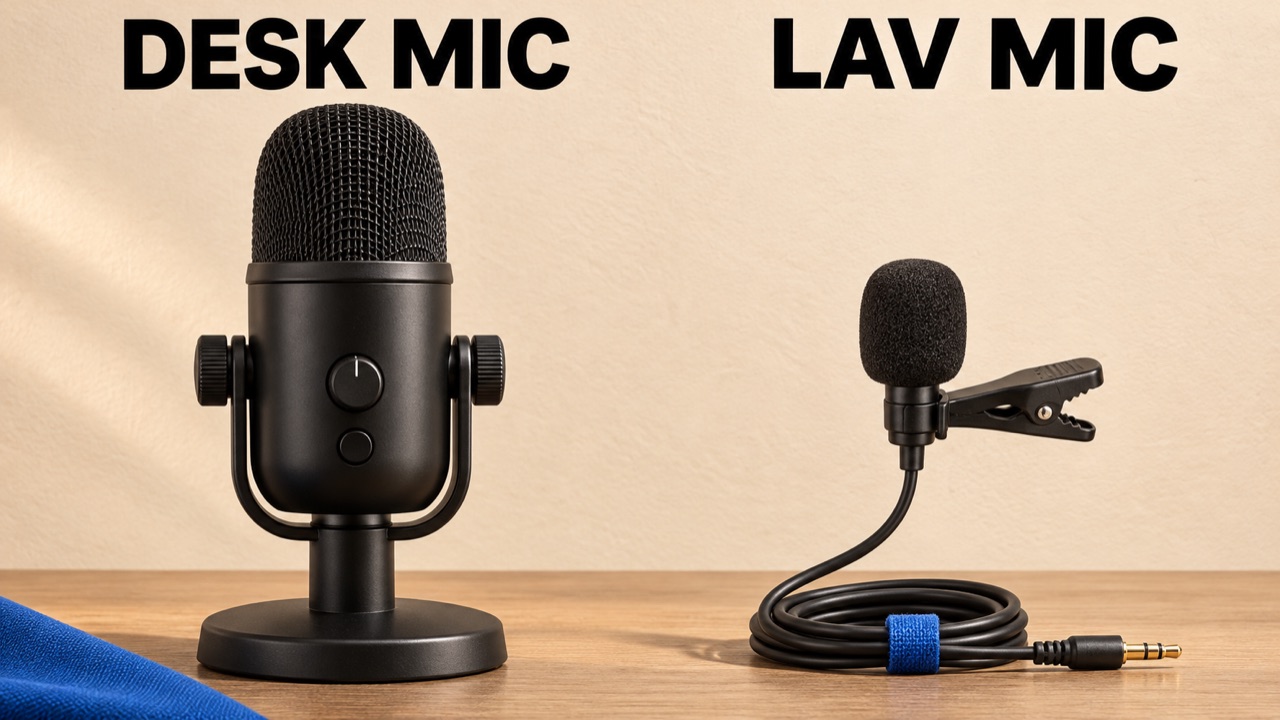
Worked example: an image that already fits
The owned microphone sample is a 1280 × 720 JPG that is already below 2 MB. It does not need to be made smaller for that target. Try a lower target to see the trade-off, then inspect the black microphone grille and the edges of DESK MIC and LAV MIC. Use the displayed result bytes; there is no fixed percentage saving for every image.
Current YouTube guidance
- YouTube's current mobile upload limits are under 2 MB for video thumbnails and under 10 MB for podcast thumbnails.
- On desktop, YouTube lists a 50 MB limit for video, Shorts and podcast thumbnails. A smaller file may be convenient, but 2 MB is not a universal requirement.
- JPG is one of YouTube's listed thumbnail formats. A successful local size check does not verify your account, upload the file or guarantee YouTube will accept its content.
YouTube Help: upload limits by device · Checked
What this tool does
- Input is limited to one JPG, PNG or WebP up to 15 MB, 24 megapixels and 8192 pixels on either side. A larger file may be allowed by YouTube but still exceed this tool's limit.
- The compressor keeps the source dimensions unless its longest side exceeds 4096 pixels; in that case it reduces the dimensions proportionally and reports the change. It does not crop.
- JPG compression is lossy and transparent areas become white. The exported file may differ from the original, so retain your source artwork.
- Your image is processed in this browser. There is no AI quality score, CTR prediction or automatic upload to YouTube.
Free tools · No sign-up · Images stay in your browser