3 YouTube thumbnail prompts with real examples
Two cups and two prices tell you what a coffee taste test is about before you read the video title. Here’s the prompt behind that thumbnail, plus two you can adapt for a review or a portrait.
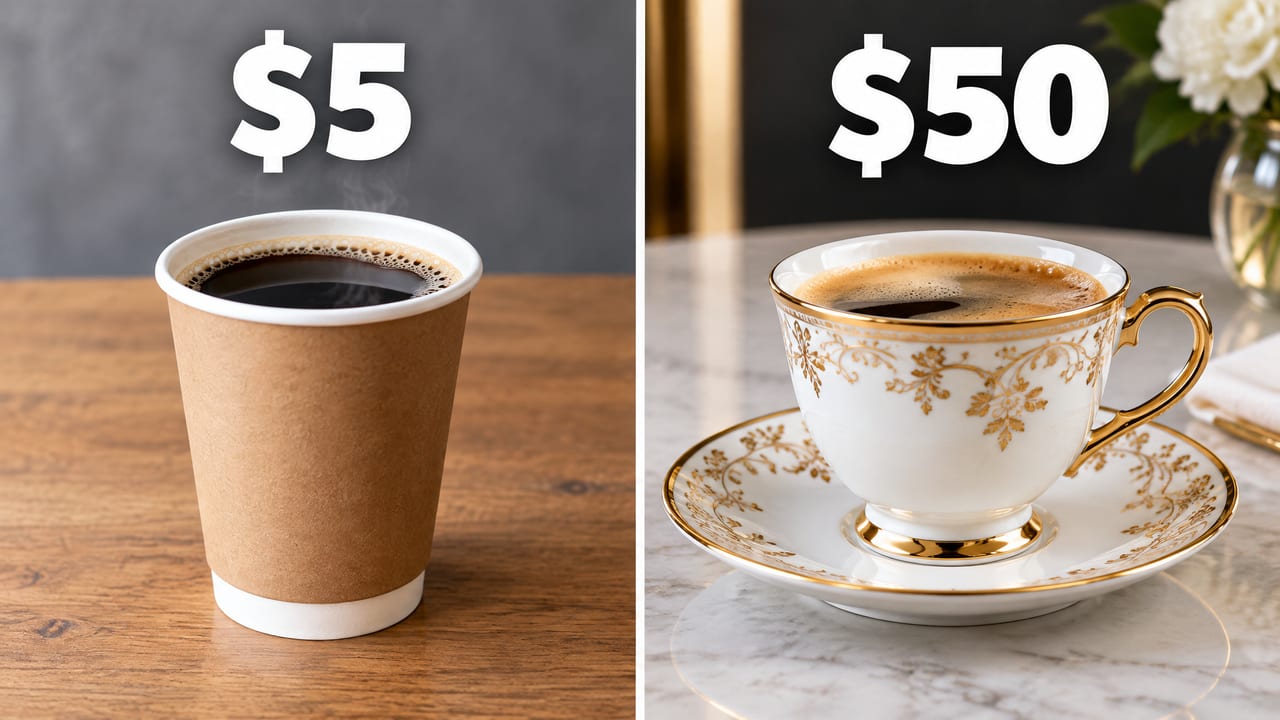
1. Compare two things side by side
Suppose your video asks whether a $50 coffee tastes better than a $5 one. The cups and their prices tell viewers what you tested. Leave the verdict for the video.
Comparison prompt
YouTube thumbnail: split-screen comparison, a paper cup of coffee on the left labeled "$5" and a luxury porcelain cup on the right labeled "$50", clean studio lighting, bold white numbers
Swap in your subjects and check the price for your selected models. You can edit the draft before signing up by email. Generating images requires prepaid credit, available in $10 packs.
Make it yours. For a microphone comparison, swap in the two mics you tested and their actual prices. If they look nearly identical, give each a recognizable detail, such as the desk stand on one and the boom arm on the other.
2. Put a short headline on a product review
Use the words you would print on the thumbnail. Quotation marks tell the model which words belong in the image. You still need to check where it puts them.
Headline prompt
YouTube thumbnail: shocked man holding a cracked smartphone, huge bold yellow text "DON'T BUY THIS" with a black outline, bright red background, high contrast

What to change. Keep the headline and color. Replace “huge bold yellow text” with “one line of yellow text across the top quarter, with the person’s head entirely below it.” Change the wording too if your review comes to a different verdict. Compare other models on the same headline.
3. Leave space to add your own title
If you use the same typeface on every episode, generate the photo first and add the lettering in your editor. Choose which side needs to stay quiet before you write the prompt.
Portrait prompt
YouTube thumbnail: close-up of a woman laughing on a rainy Tokyo street at night, neon reflections, cinematic lighting, empty space on the left for a title, no text
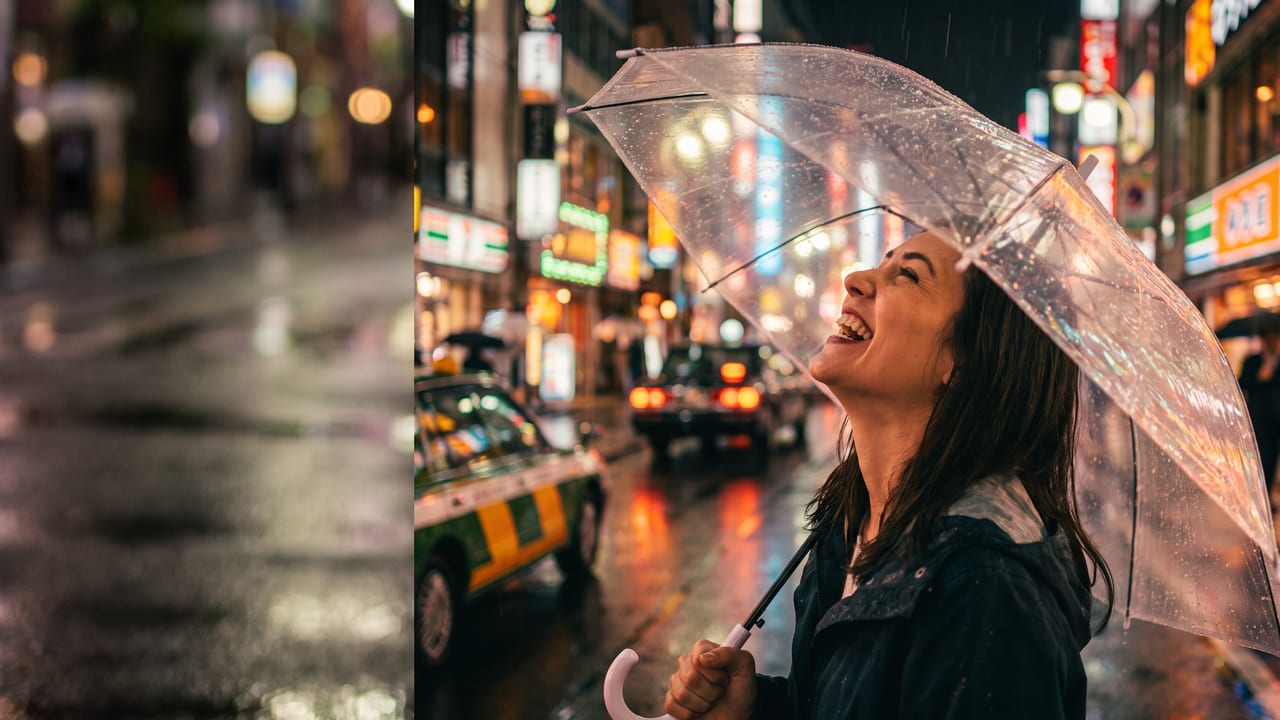
Make it yours. For a night-photography tutorial, replace the woman with a photographer checking a camera. Leave the placement instruction in. If the title is hard to read over the streetlights, ask for dark, out-of-focus pavement behind the letters. Check your finished portrait at feed size.
Check the thumbnail beside your video title
Open the free feed-size thumbnail preview. For the coffee comparison, can you match each price to the right cup at a glance? For the phone review, can you read all three words? For the portrait, add your title first and check whether it covers the face. YouTube also recommends checking how the design reads across devices. YouTube’s thumbnail and title tips.
The three images are individual outputs from our side-by-side model benchmark. The benchmark shows how each model handled placement, lettering, and subject detail on one attempt per prompt.